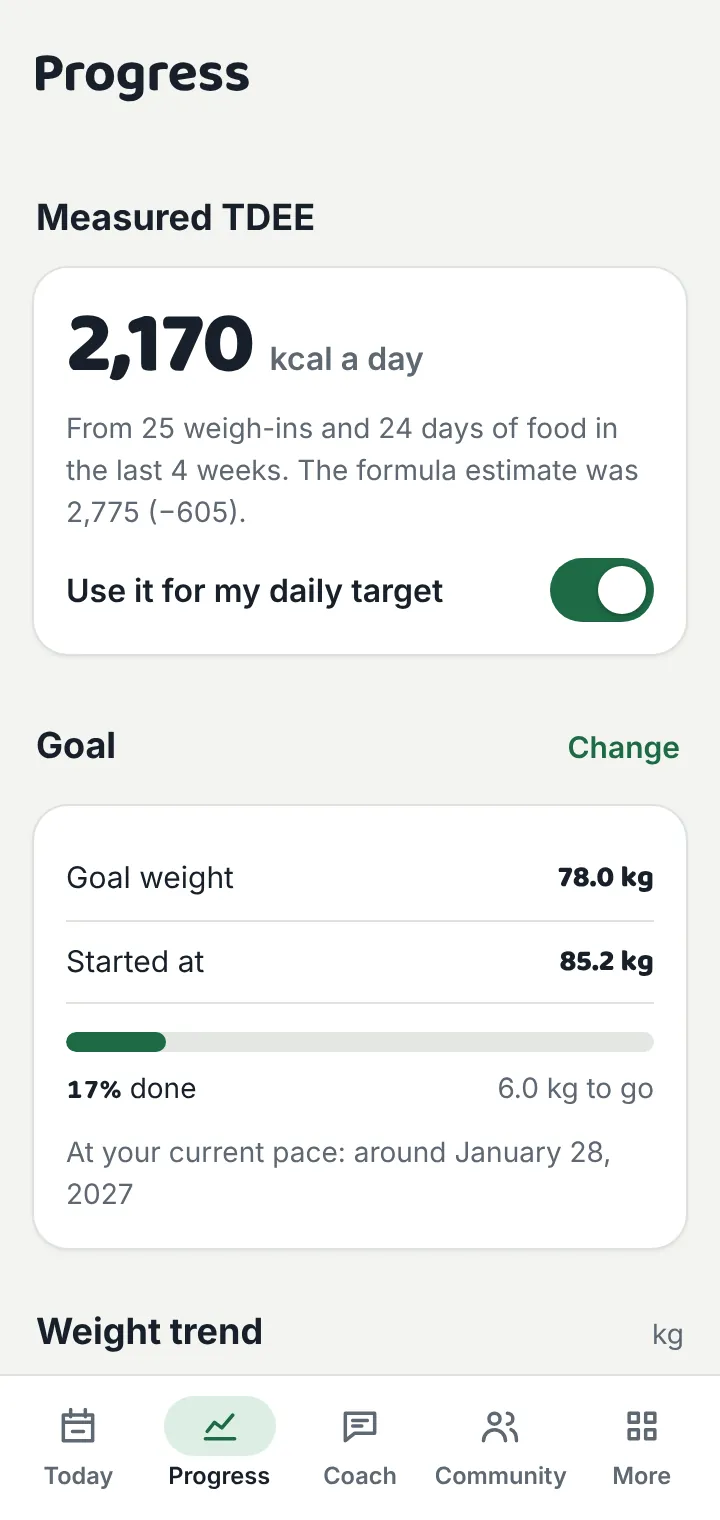
Measured TDEE
After 14 days of weigh-ins and food logging, the app calculates what your body really burns from your weight trend and intake, usually more accurate than any formula.
Know exactly how much to eat. The app starts with a formula estimate, then learns your real daily burn from your own weight and food log, and keeps your calorie target up to date as your body changes.
For adults 18+. Android 7.0 or newer. Launching on Google Play soon.
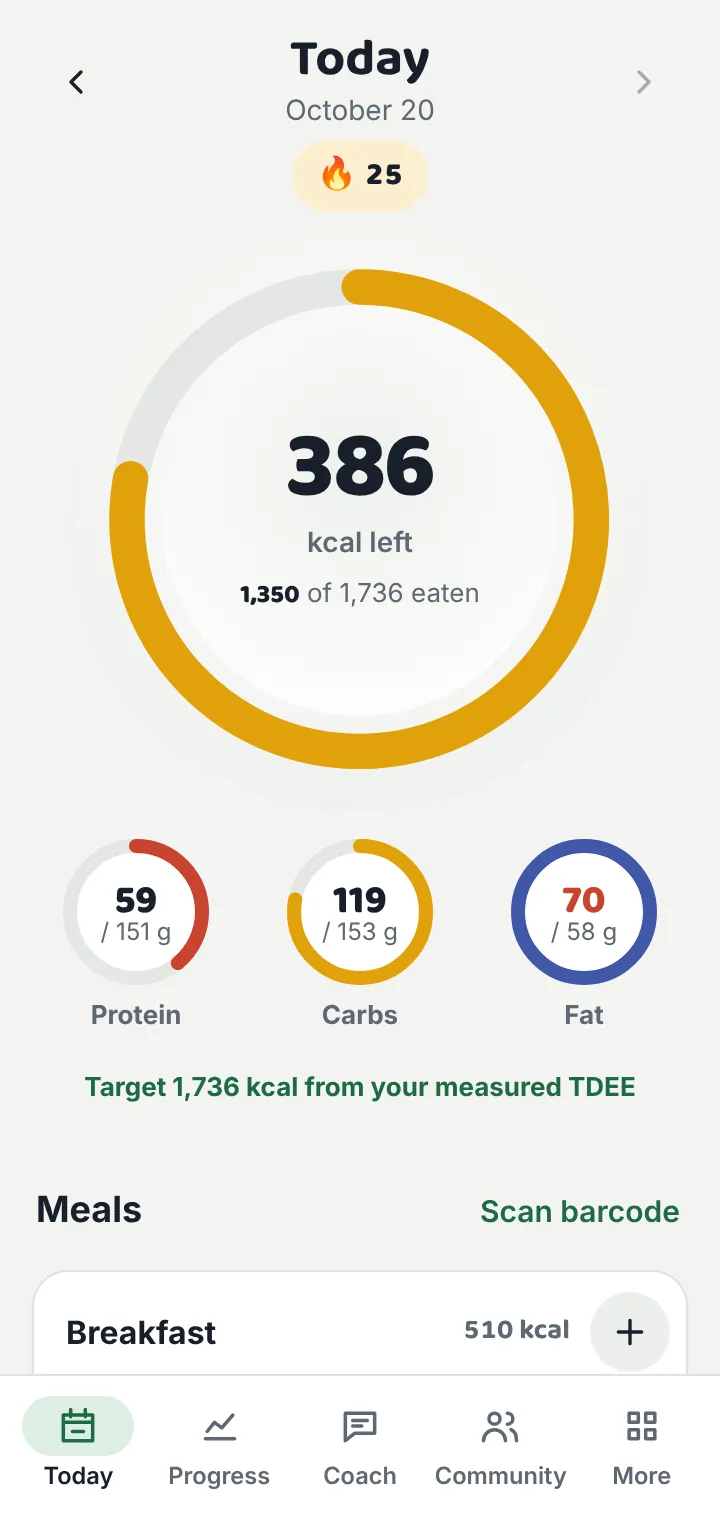
Built for everyday food from every part of the world, in your own language, and private by design.
After 14 days of weigh-ins and food logging, the app calculates what your body really burns from your weight trend and intake, usually more accurate than any formula.
Four BMR formulas, seven goals from “lose fast” to “gain fast”, and balanced, high-protein, low-carb or keto macros. Warnings when a goal is too aggressive.
356 everyday foods from South Asia, the Middle East, East and Southeast Asia, Europe, the Americas and Africa (roti, biryani, jollof, pho, pasta and more), plus your own foods.
Scan packaged food to fetch its nutrition from Open Food Facts, a free public database. Only the barcode number is sent.
Take a photo of your plate: the AI lists what it sees with portions and calories. You check and edit every item before it is added.
Ask about meals, protein, workouts, fasting or your progress, in your own language. It can use your targets and today’s log if you allow it.
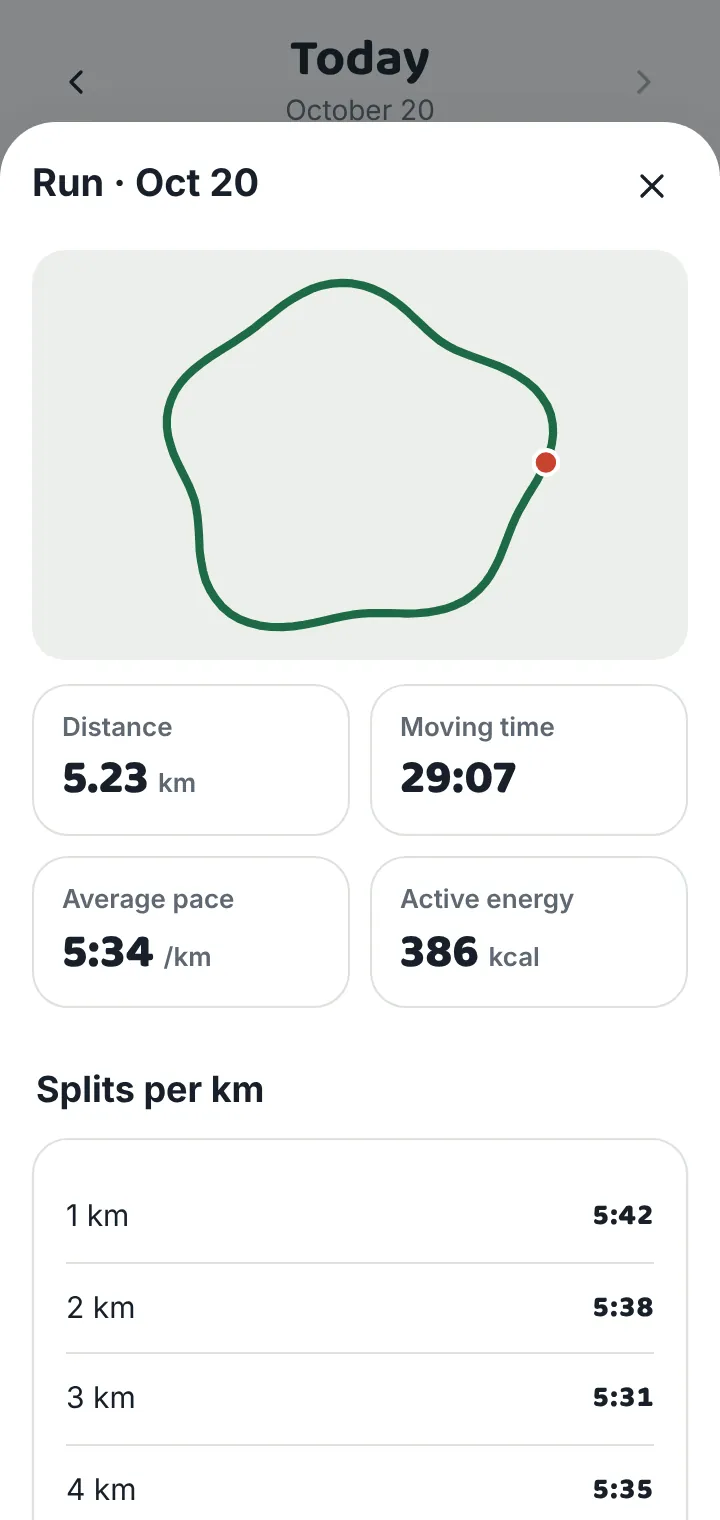
Track distance, pace, splits and active calories, with your route drawn as you go. Lock the screen and keep going; your route stays on your phone.
Weekly leaderboards for streaks, days logged and distance. Add friends with a code and send cheers. Only a nickname and weekly stats are shared, never your weight or food.
Meals become suhoor, iftar and dinner, your calories are split between them, and suhoor and iftar reminders ring at the times you set for your city.
Kilograms, pounds or stones; centimetres or feet; kcal or kJ; millilitres or fluid ounces. Latin digits and right-to-left layouts done properly.
Optional daily backup to a private app folder in your own Google Drive, and automatic weight import from smart scales through Health Connect.
Home-screen widget, daily and weekly reminders, CSV and PDF export, dark mode, and tools for BMI, body fat, protein, water and goal planning.


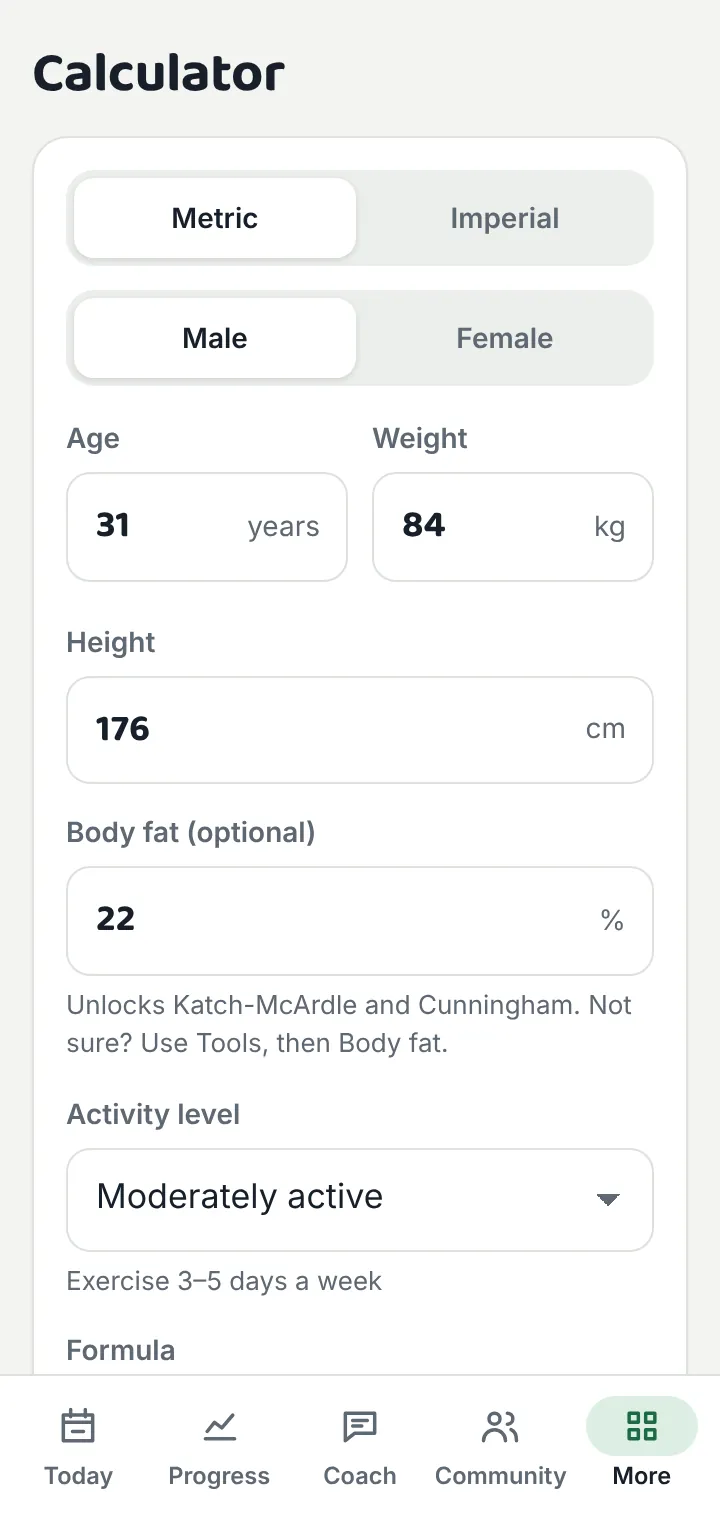
Formulas guess your burn from averages. The app measures it from what actually happens to your weight:
Measured TDEE = average daily intake − (weight trend per day × 7,700 kcal per kg)
It looks at the last 4 weeks, ignores today (the day isn’t finished) and uses a trend line through your weigh-ins so day-to-day water swings don’t throw it off. It needs at least 14 days with 10 weigh-ins and 10 days of food. Then you can switch your daily target to your measured TDEE with one tap.
Tip: weigh yourself each morning after the toilet and before eating, and log everything, even the chai.
Read the full privacy policy.
The whole app is translated: every screen, food name and notification. It follows your phone’s language, or you can pick one in Settings.
Yes. There are no ads and no subscription. The AI coach and photo calories have a fair daily free limit for everyone (currently 20 messages and 5 photos a day).
Not yet. The app is for Android 7.0 and newer. All our calculators work on any phone in the browser.
No. You can use the calculator, food diary, workouts and tools without signing in. Google sign-in is only needed for the AI coach, community and Google Drive backup.
On your phone, in the app’s private storage. If you turn on backup, a copy goes to a hidden app folder in your own Google Drive that we can’t see. Our server only holds what the AI coach and community need. See the privacy policy.
It gives a useful first guess, but portion sizes are hard to judge from a photo. Always check the items and grams before adding them.
In the app: Settings → Google account → Delete my account. Or use the account deletion page. Your phone data can be removed in Settings → Delete all my data.